TortoiseGit 最可爱的 海龟Git

3,754 views次阅读
没有评论

提醒:本文最后更新于2025-06-13 20:13,文中所关联的信息可能已发生改变,请知悉!

TortoiseGit 最可爱的 海龟Git


TortoiseGit

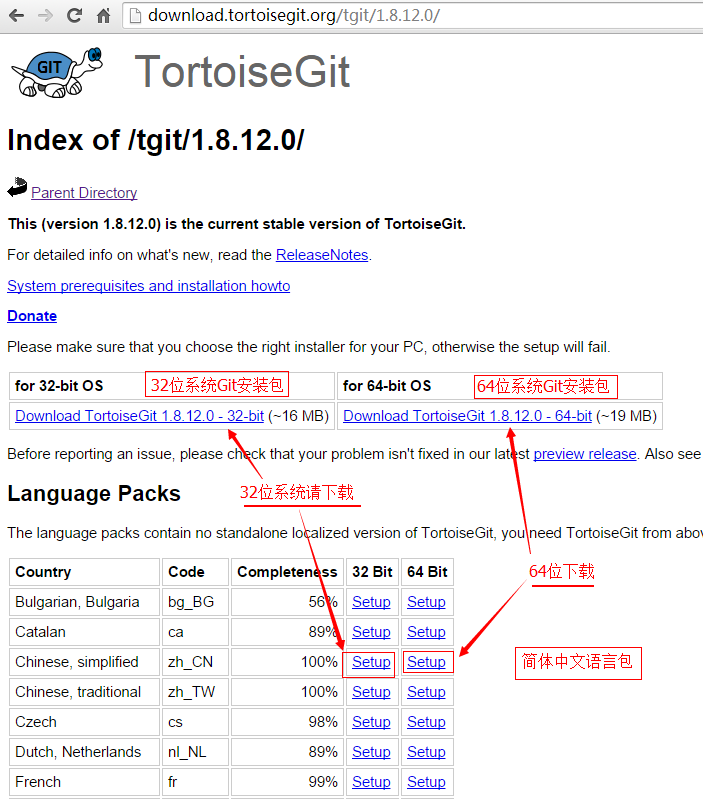
TortoiseGit 简称 tgit, 中文名海龟Git. 海龟Git只支持神器 Windows 系统, 有一个前辈海龟SVN, TortoiseSVN和TortoiseGit都是非常优秀的开源的版本库客户端. 分为32位版与64位版.并且支持各种语言,包括简体中文(Chinese, simplified; zh_CN).


下载

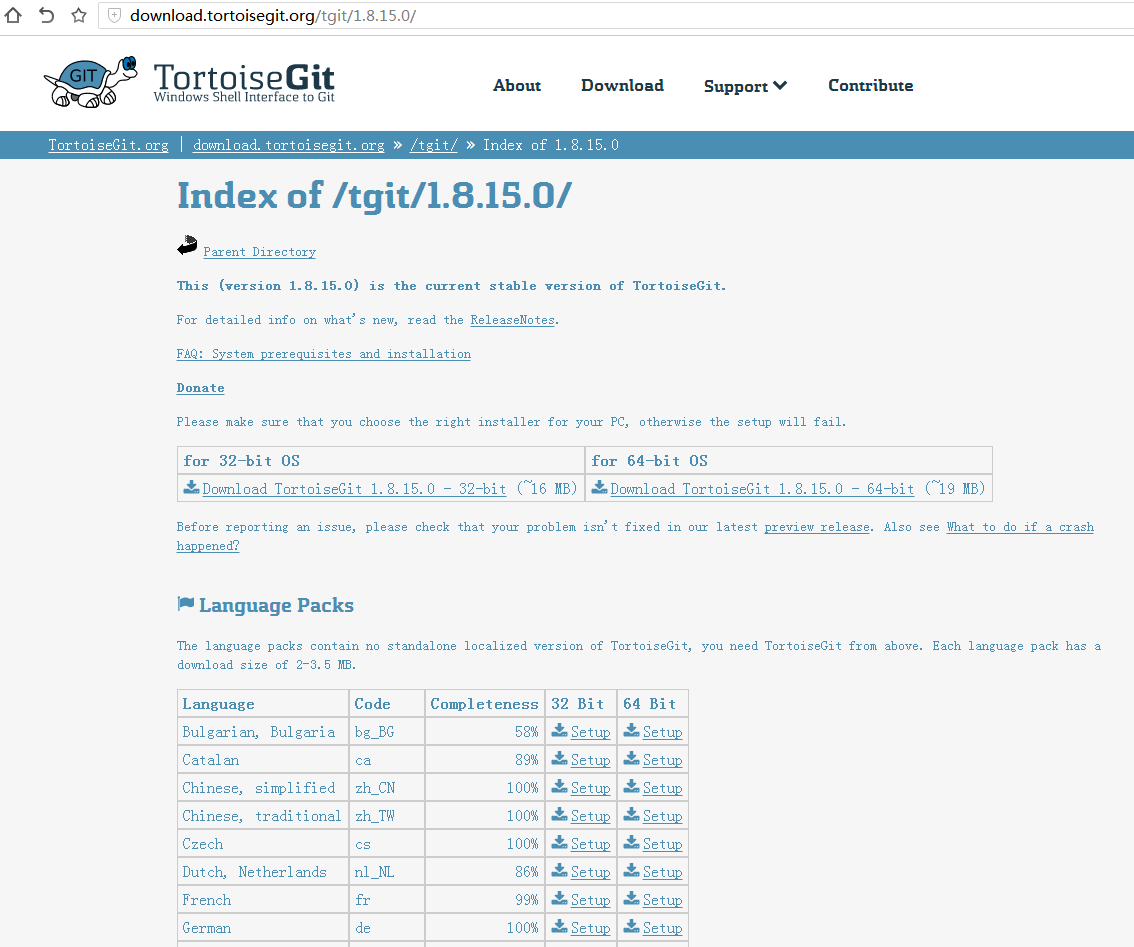
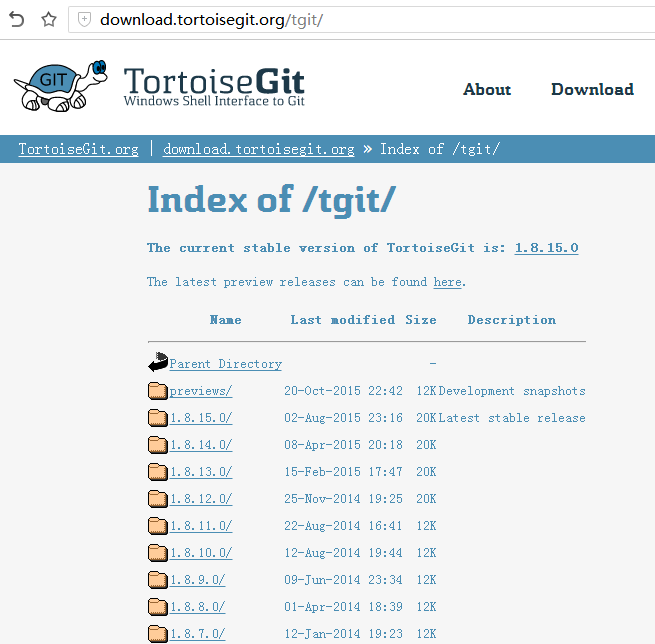
TortoiseGit下载页面: http://download.tortoisegit.org/tgit/
TortoiseGit 最可爱的 海龟Git

TortoiseGit 最可爱的 海龟Git

TortoiseGit 最可爱的 海龟Git


安装

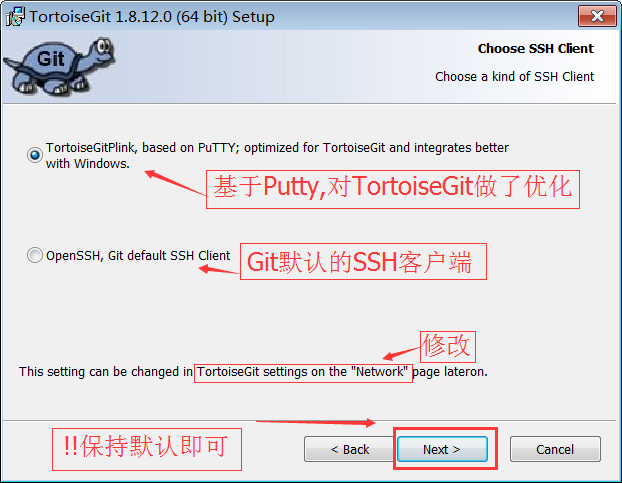
我们需要先安装程序包,然后安装语言包(LanguagePack).

因为TortoiseGit 只是一个程序壳,必须依赖一个 Git Core. 所以安装前请确定已安装 Git.
TortoiseGit 最可爱的 海龟Git


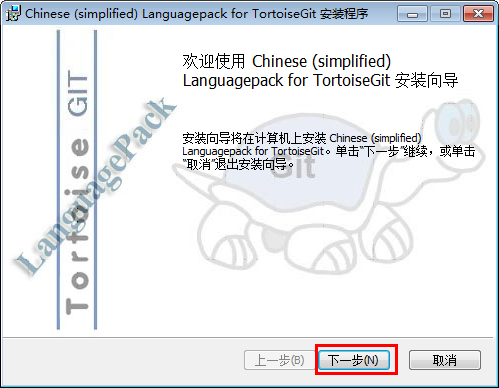
然后安装语言包

TortoiseGit 最可爱的 海龟Git


配置

首先,请选定一个存放Git项目的目录,这样管理方便. 如: D:\gitabc , 然后打开.

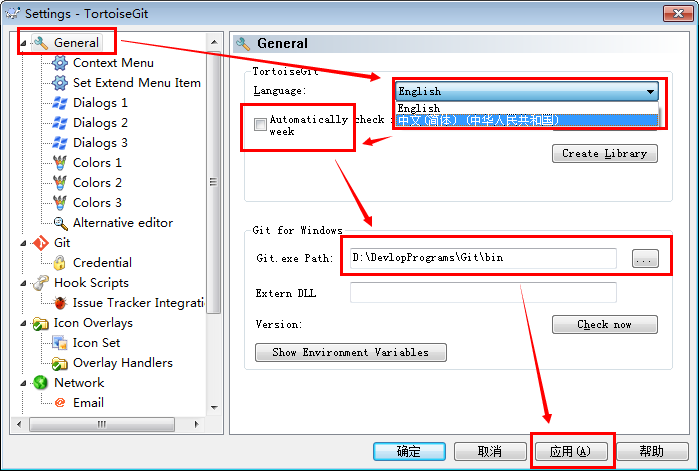
在空白处点击鼠标右键, 选择 --> TortoiseGit --> Settings, 然后就可以看到配置界面:
TortoiseGit 最可爱的 海龟Git

选中General,在右边的 Language中选择中文. 不勾选自动升级的复选框, 完成后,点击应用,确定关闭对话框.

(当然,你也可以继续使用英文)


设置记住密码

!!!!! 密码会明文保存在 C:\Users\Administrator\.git-credentials 这种文件中, 请小心使用.

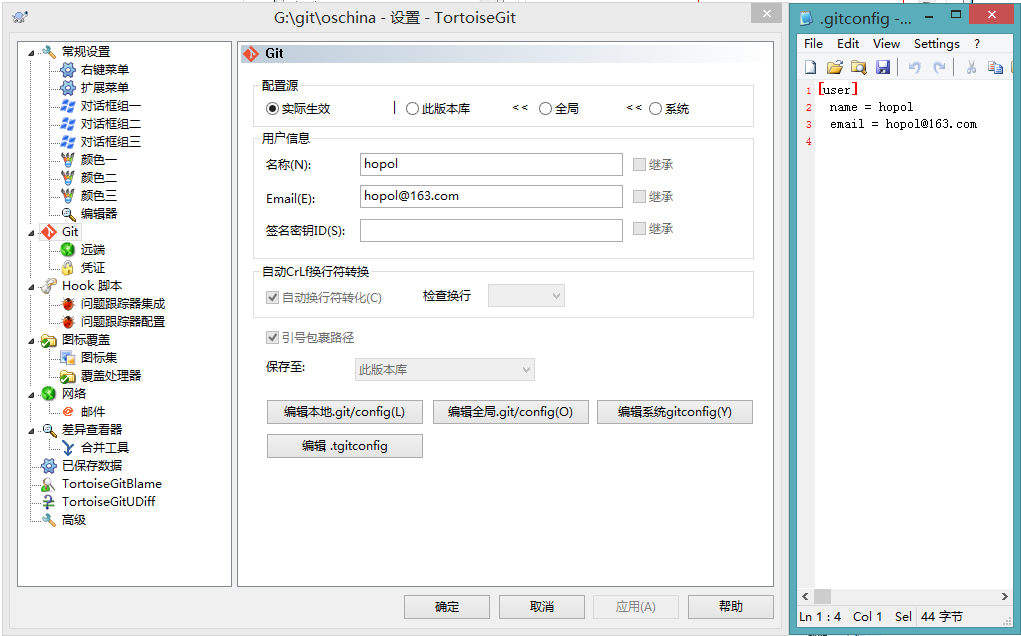
进入设置, 点选左边的Git标签.可以发现,右边可以配置用户的名字与Email信息. 如下图所示:
TortoiseGit 最可爱的 海龟Git

因为当前还没有本地项目,所以 “编辑本地 .git/config(L)” 按钮处于灰色不可用状态,如果在某个本地Git项目下打开配置对话框,那么这个按钮就可用,然后就可以编辑此项目的一些属性。

点击 “编辑全局 .git/config(O)”按钮,会使用记事本打开全局配置文件,在全局配置文件中,在后面加上下面的内容:

  1. [credential]
  2. helper = store

完成后保存,关闭记事本,确定即可。

则当你推送项目到GitHub等在线仓库时,会记住你输入的用户名和密码(这里不是用户的姓名和Email哦.)

如果你编辑的是 本地 .git/config(L),其实这个翻译为本地有点问题,应该叫局部,也就是在某个项目下面设置,只对此项目有效.配置是一样的.


正文完
 0
HopoL
版权声明:本站原创文章,由 HopoL 于2015-10-24发表,共计926字。
转载说明:除特殊说明外本站文章皆由CC-4.0协议发布,转载请注明出处。
评论(没有评论)

HopoL's Blog

文章搜索
最新评论
Metaldololity Metaldololity Whoa, that's really simple. You just save my time a lot. Thankyou!
HopoL HopoL Since you’ve got the backup, it’s actually pretty simple. Just restore the backup files to your new flash drive, then head over to the /config directory and edit the go file. Look for export UNRAID_GUID=xxxxxxxxxxxxxx and swap it with your new drive's GUID. That should do the trick!
Metaldololity Metaldololity Really apreciate for your fast respond, mate. I actually have the backup of the flashdrive (from regular unraid backup). The problem is, when i search on youtube tutorial about changing the failed flashdrive, the process need some sort of confirmation with an account in unraid (blacklist the old one -> whitelist the new one). Since i have a cracked unraid, i don't know how to register my new flashdrive as the correct one (and the system not asking me for the old failed flashdrive). Thanks in advance
HopoL HopoL Man, that's a tough spot to be in. Regularly backing up your /boot folder is super important for exactly this reason. If you don't have a backup and your flash drive is completely fried, your best bet is to Google some specific recovery guides or check the Unraid forums. There are ways to rebuild your config by identifying your parity and data drives, but it can be a bit of a process. Hope you can get it sorted!
Metaldololity Metaldololity Hi! Huge thanks for the update on 7.2.0. I have question here, my flashdrive corrupted. how do i install it on the new flashdrive without losing all my configuration?
acettu acettu well tnx is possible to update it?
HopoL HopoL Ciao!‌ Per trovare il tuo GUID, ti consiglio di cercare su Google qualcosa come "unRAID GUID tutorial" o "come ottenere il Flash GUID di unRAID". Ci sono tante guide dettagliate che ti spiegano passo passo come fare. Poiché il metodo esatto può variare a seconda del tuo setup, è meglio seguire una guida affidabile piuttosto che provare a spiegartelo qui. Buona fortuna!
HopoL HopoL Hey there! To find your GUID, I'd recommend searching for "unRAID GUID tutorial" or "how to get unRAID Flash GUID" on Google. There are plenty of detailed guides out there that walk you through the process step by step. Since the exact method can vary depending on your setup, it's best to follow a trusted tutorial rather than me trying to explain it here. Good luck!
acettu acettu tnx can you explain where i get my GUID?
HopoL HopoL full