
提醒:本文最后更新于2025-06-19 10:40,文中所关联的信息可能已发生改变,请知悉!
🍗 特别鸣谢
https://github.com/pocopico/tinycore-redpill
https://github.com/pocopico/rp-ext
🍤 起因
好久没看 https://xpenology.com/forum 论坛了,发现 大神提供了 基于 Tinycore 的引导工具,实在忍耐不住尝试了一下,爽 真的爽!!!
Tinycore 之前是老骥伏枥 科普的,使用过后一发不可收拾,一直都很喜欢。现在redpill 也能用上了,抱着试一试的心态也来凑一下热闹。
换个口味今天就不玩PVE了,用VirtualBox,为什么是它而不是VM?就因为他免费。
🥝 如果用PVE,将 tinycore-redpill 的IMG 文件挂载USB 启动即可。
测试项目,可能会有不可预测的事情发生(比如:毁损数据、烧毁硬件等等),请谨慎使用!!!
测试项目,可能会有不可预测的事情发生(比如:毁损数据、烧毁硬件等等),请谨慎使用!!!
测试项目,可能会有不可预测的事情发生(比如:毁损数据、烧毁硬件等等),请谨慎使用!!!
🥝 想纯粹编译引导文件,可以看看 Err0r 大神的帖子:
https://xpenology.club/install-dsm-7-on-baremetal-or-vm/
🥩 前期准备
🍰 Named Pipe TCP Proxy
下载地址:https://mega.nz/file/JR5FiYaL#lh6GOVSLBHXVWNU7d--YCfv8lacKfQoB_w_54OLqxbk
🥝 PVE下只需要新建一个串口即可查看,但 VirtualBox 我不熟悉,
只能靠Named Pipe TCP Proxy 了。
(有没有大神有更便捷的方法记得留言告诉我,谢谢)
🍰 MobaXterm
方便好用,一直用一直香。下面需要用到 SSH、SFTP、Telnet,直接一步到位。
🍰 tinycore-redpill
https://github.com/pocopico/tinycore-redpill
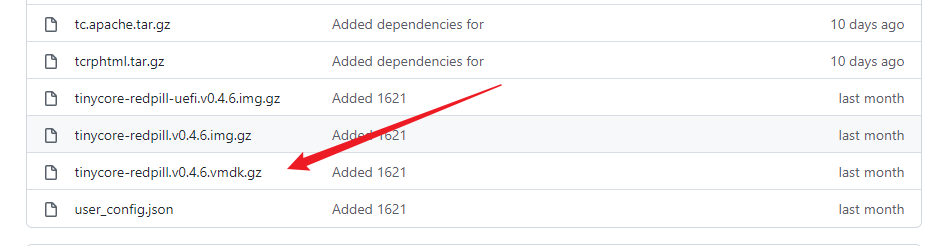
https://github.com/pocopico/tinycore-redpill/raw/main/tinycore-redpill.v0.4.6.vmdk.gz
直接下载
tinycore-redpill.v0.4.6.vmdk.gz ,回来解压就能得到 tinycore-redpill.v0.4.6.vmdk
为了方便纠错,习惯性查看 ttyS0
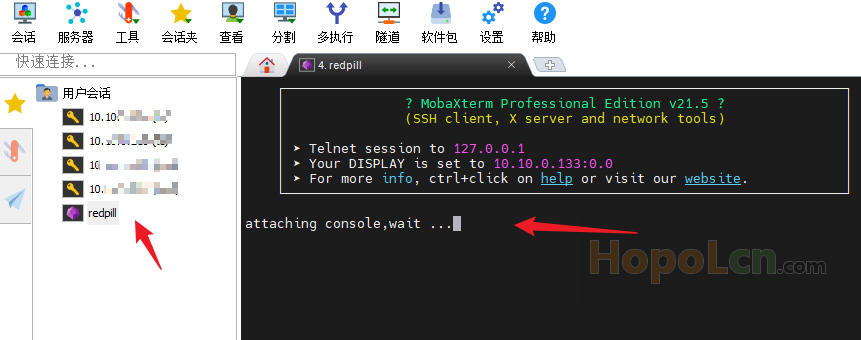
先安装好 Named Pipe TCP Proxy 并打开,在软件空白处右键点击“ADD”
Pipe :\.piperedpill
Port:2000
Description:redpill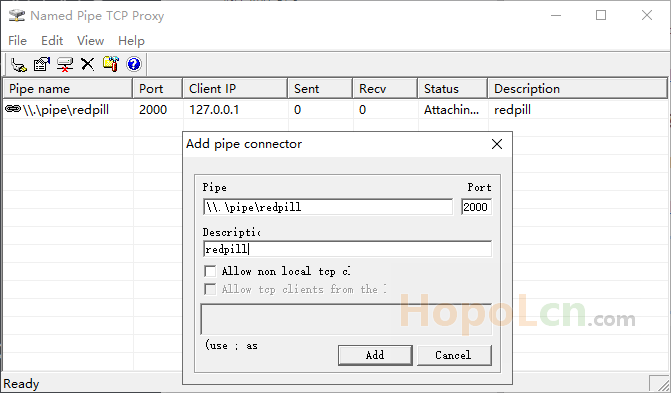
打开 MobaXterm ,添加“会话”---“Tenlnet”
远程主机:127.0.0.1
端口:2000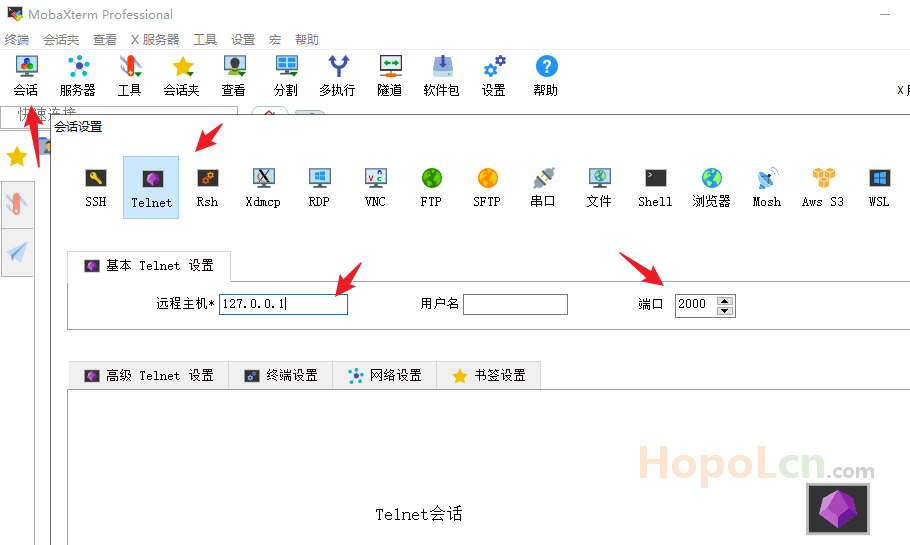
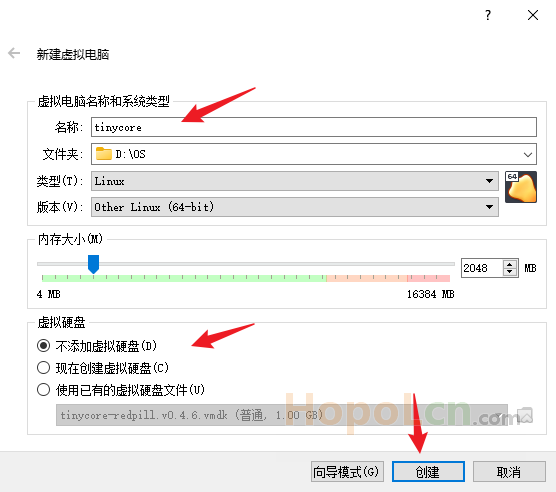
🍣 主板,启动顺序
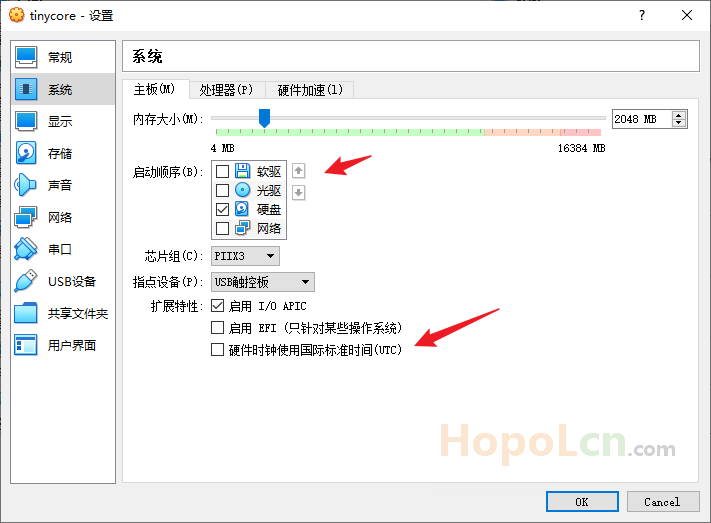
去掉软驱和光驱
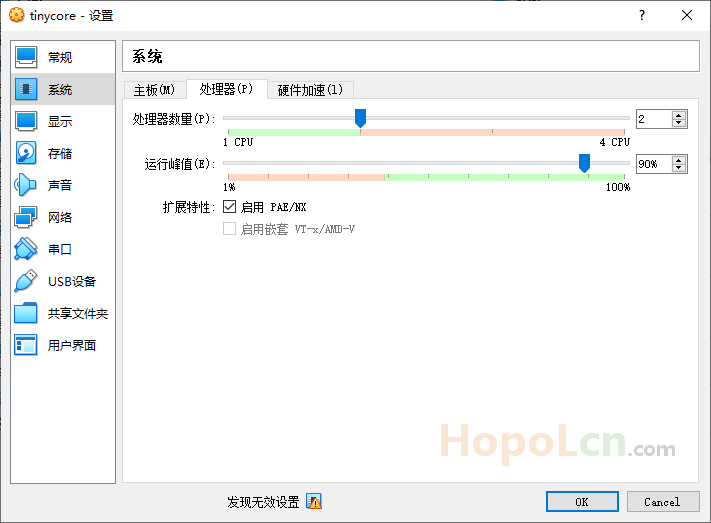
🍣 处理器
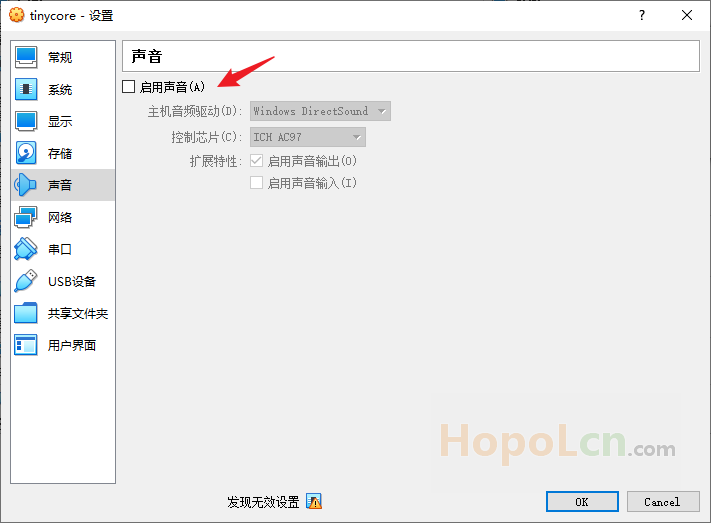
🍣 无需声卡,所以去掉
🍣 网络,我这里是桥接网卡模式,内网有OpenWRT可以愉快科学。
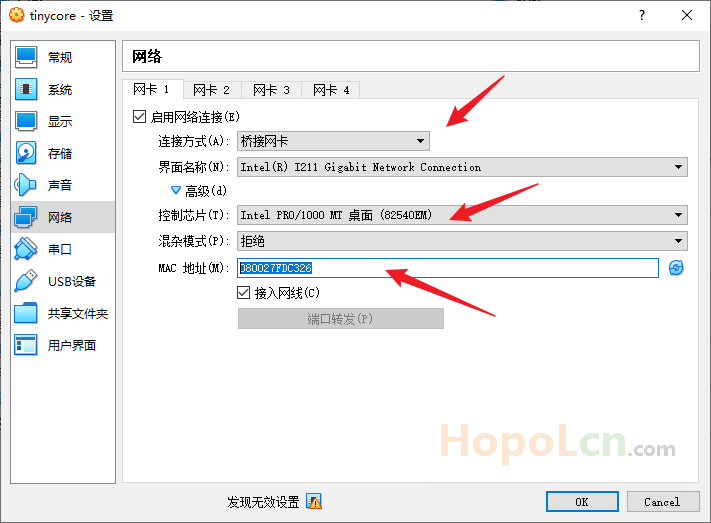
控制芯片:Intel PRO/1000 MT (82540OEM)
🥝 对应PVE 就应该是 e1000 了,我也不知道猜的。
复制下面的MAC地址(我这里是:080027FDC326)
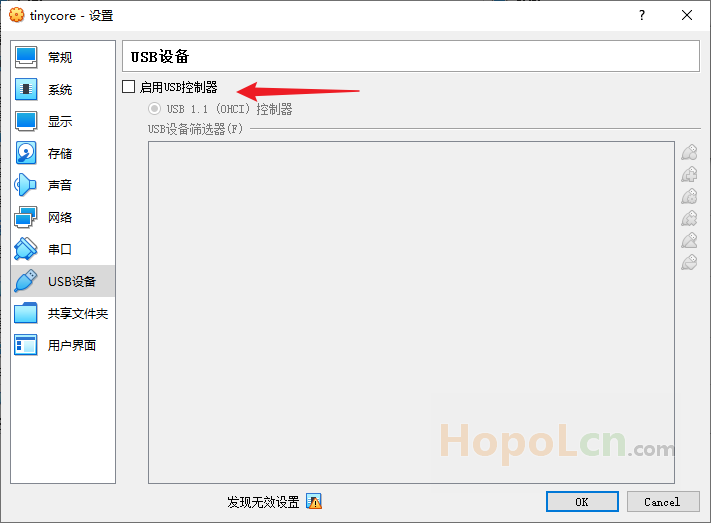
🍣 无需USB设备,所以我去掉。
🍣 存储,将IDE设备删除,
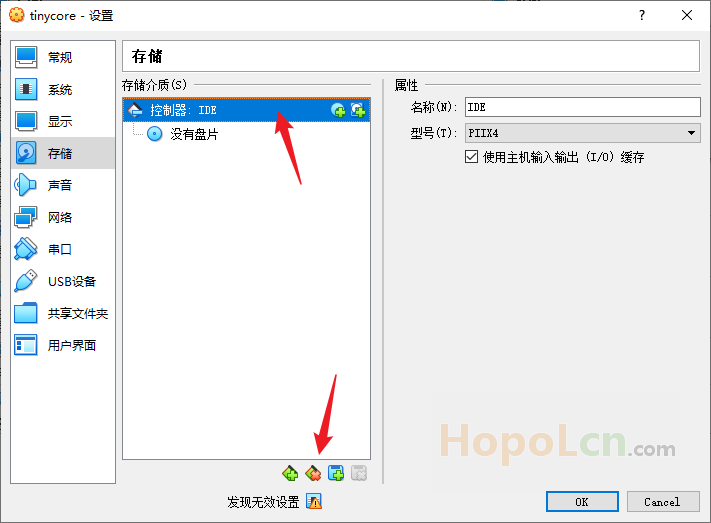
然后添加 AHCI SATA 控制器,
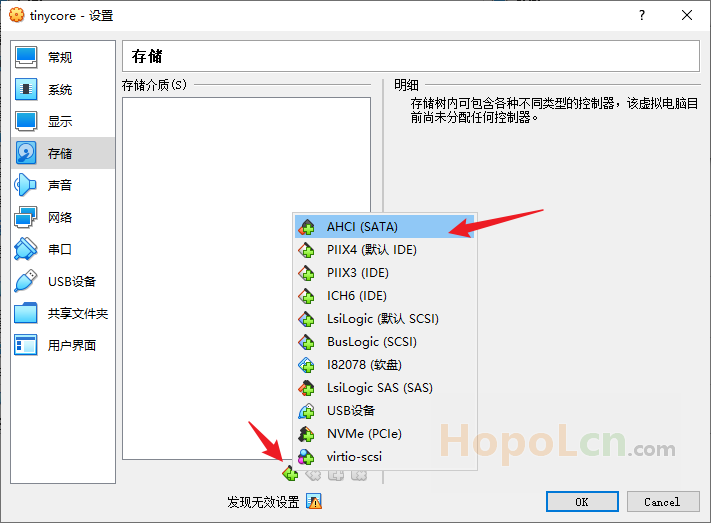
将下载回来的 tinycore-redpill.v0.4.6.vmdk 添加进去。
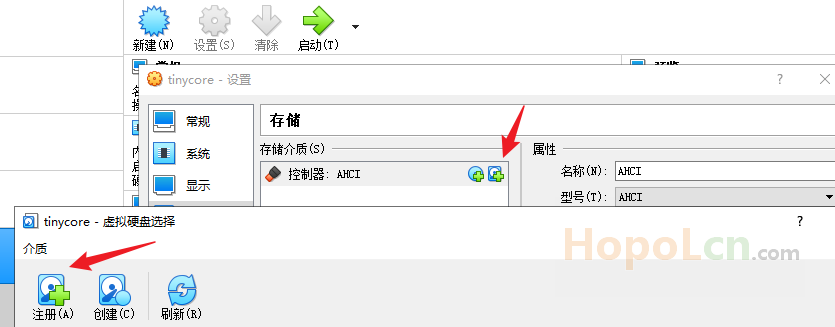
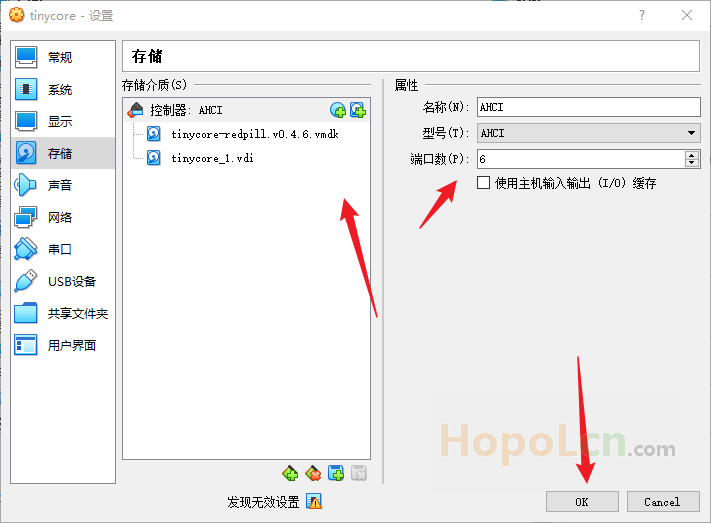
另外再添加一个虚拟硬盘,后面安装的时候用。
右边的 端口数默认是2,其实可以改你想要的硬盘数,这里只是随便改个数字6.
(如果默认2,再你做好引导之后再添加新硬盘测试就会找不到硬盘。)
串口,
勾选,启用串口
窗口编号:COM1
端口模式:主机管道
不勾选,链接至现有通道或套接字
路径/地址:\.piperedpill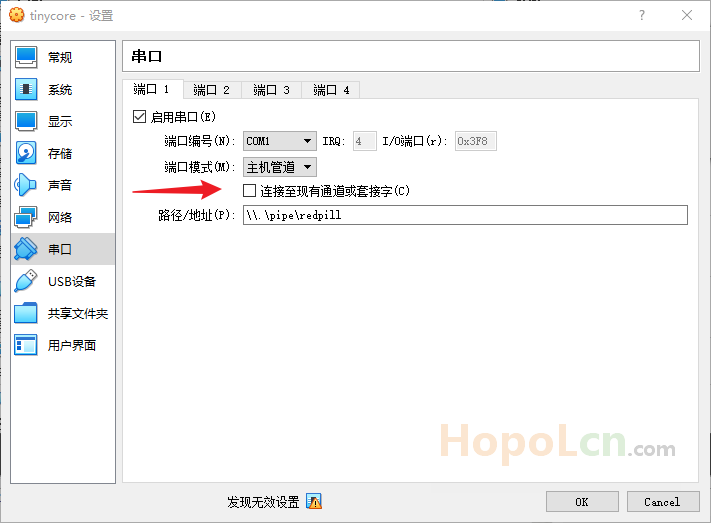
然后就可以确认保存,然后启动虚拟机
🥩 Tinycore 下 编译 DS3622xs+ 7.0.1-42218 引导
为什么要先编译 DS3622xs+ 7.0.1-42218 而不直接 DS3622xs+ 7.1.0-42661 一步到位?
不知道,反正我就是这样做的,至少可以用对吧,我又不敢问!!!
🍚 SSH链接虚拟机
虚拟机启动后会默认进入 Tinycore
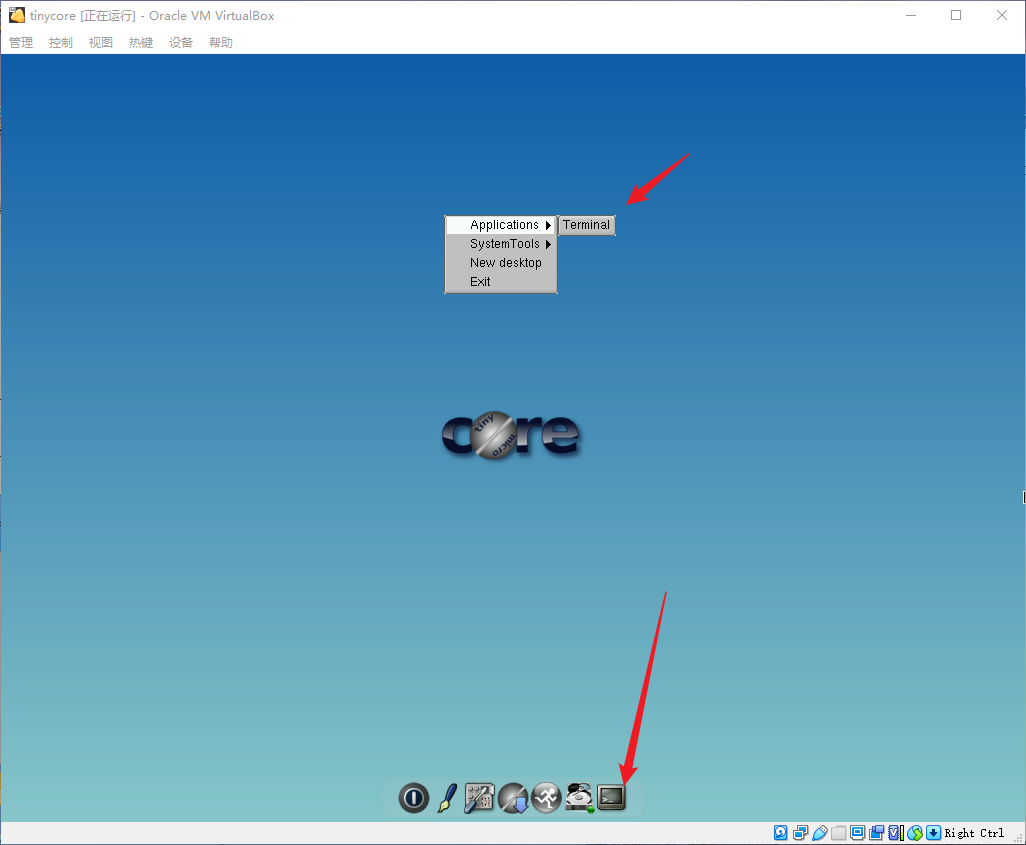
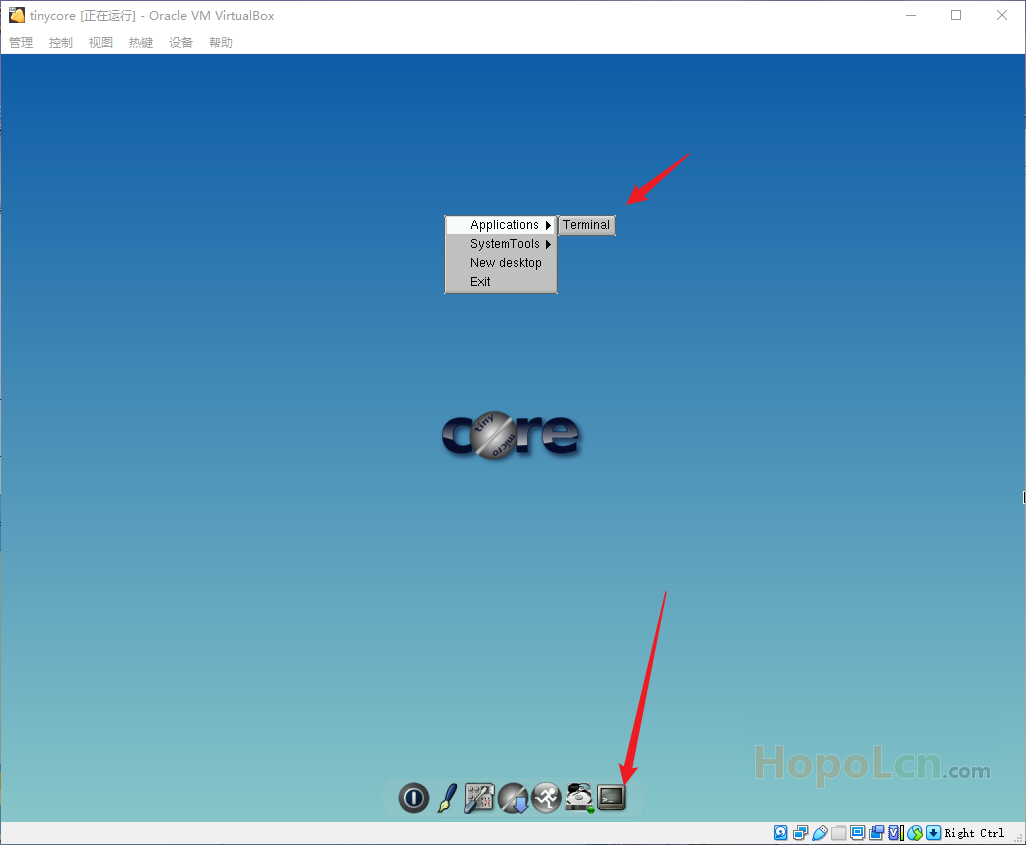
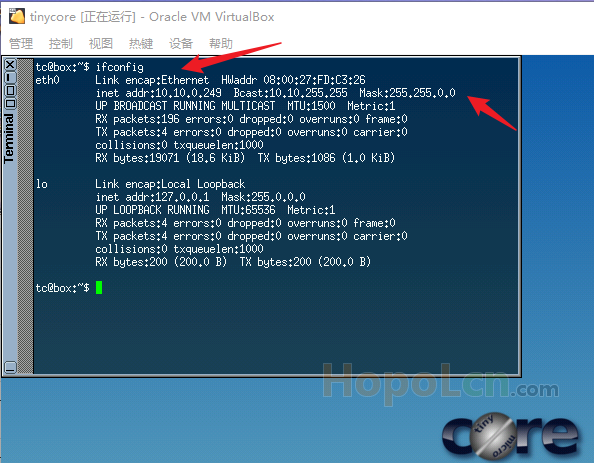
打开,Terminal 然后 输入 ifconfig ,就能看到 虚拟机的局域网 IP 。
(我这里是 10.10.0.249 ,根据网卡桥接 网络内的 DHCP 服务器 自动分配的IP)
tinycore-redpill
用户名 tc
密码 P@ssw0rd就可以用 SSH 客户端链接了,后面的命令也可以方便复制粘贴。
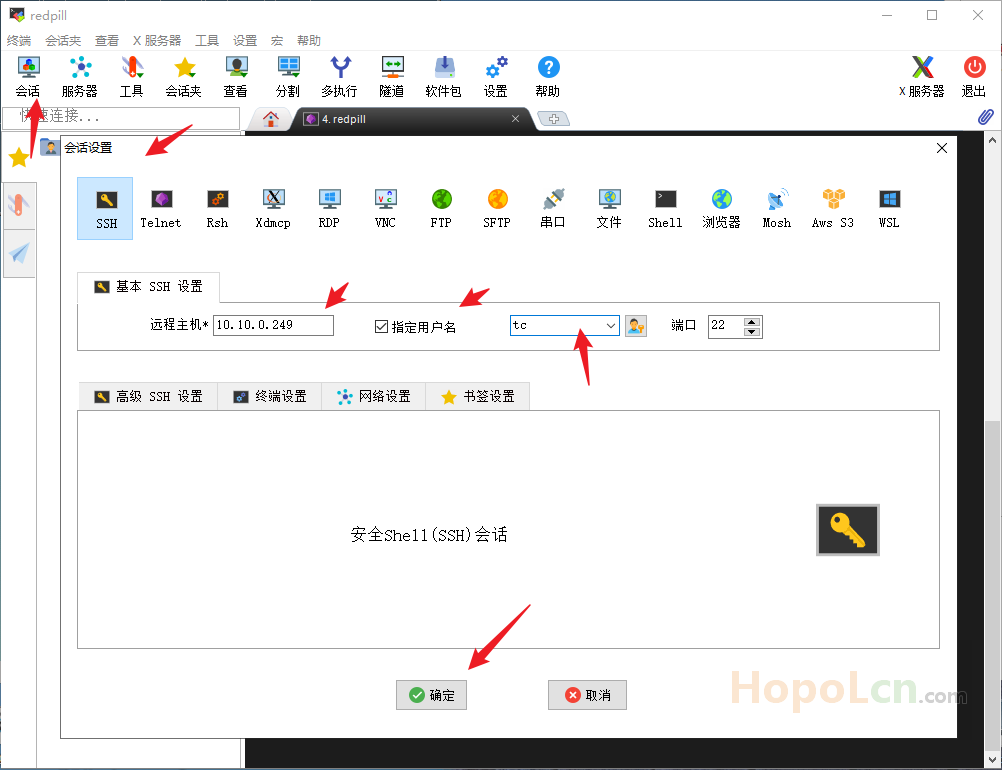
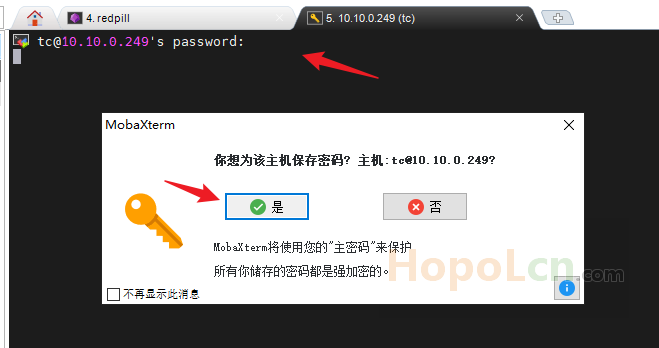
我这里用 MobaXterm ,新建SSH会话,输入IP,我习惯了指定用户名,tc。
🍚 更新 tinycore-redpill
./rploader.sh update now🥝 提示:if a newer version exists on the repo -> There is a newer version of the script on the repo should we use that ? [yY/nN]y
输入 y
./rploader.sh fullupgrade now🥝 提示:Should i update the sda with your current files [Yy/Nn]
输入 y
🍚 生成序列号和mac地址
./rploader.sh serialgen DS3622xs+
这里生成了 SN 和 MAC ,但MAC与虚拟机的不同,一会修改。
🍚 配置盘序
./rploader.sh satamap now配置 SataPortMap 和 DiskIdxMap 值并更新到 user_config.json 文件。
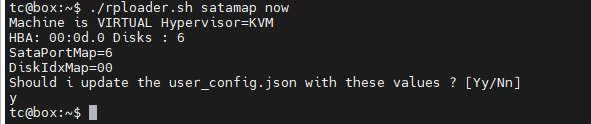
很重要哦,否则无法引导或者进入系统后无法发现添加的硬盘。
关于 SataPortMap 和 DiskIdxMap 的参数说明可以看看大神的帖子:
https://wp.gxnas.com/11876.html
🍚 修改 VID PID 和 MAC
如果是实体机或者PVE下USB模式,可以用 identifyusb 生成。
./rploader.sh identifyusb now但我这里玩的是 VirtualBox 下的 SATA 模式,上面的命令是无效的,需要手动修改。
编辑 MobaXterm 左侧窗口里面的 user_config.json 文件(/home/tc目录下)
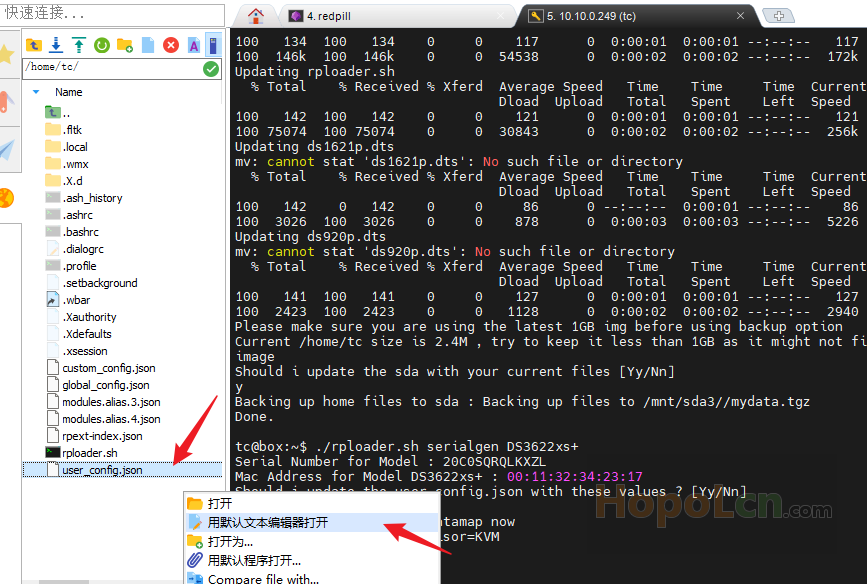
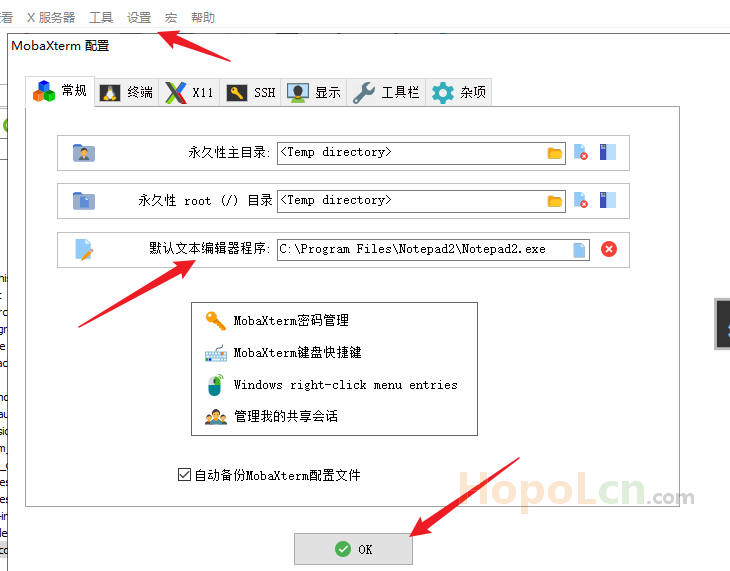
🥝 我 MobaXterm 默认文本编辑器是 Notepad2。
至于怎么修改默认编辑器看下图,我就不多说了。
打开后修改:
    "vid": "0x46f4",
    "pid": "0x0001",
"mac1": "080027FDC326", 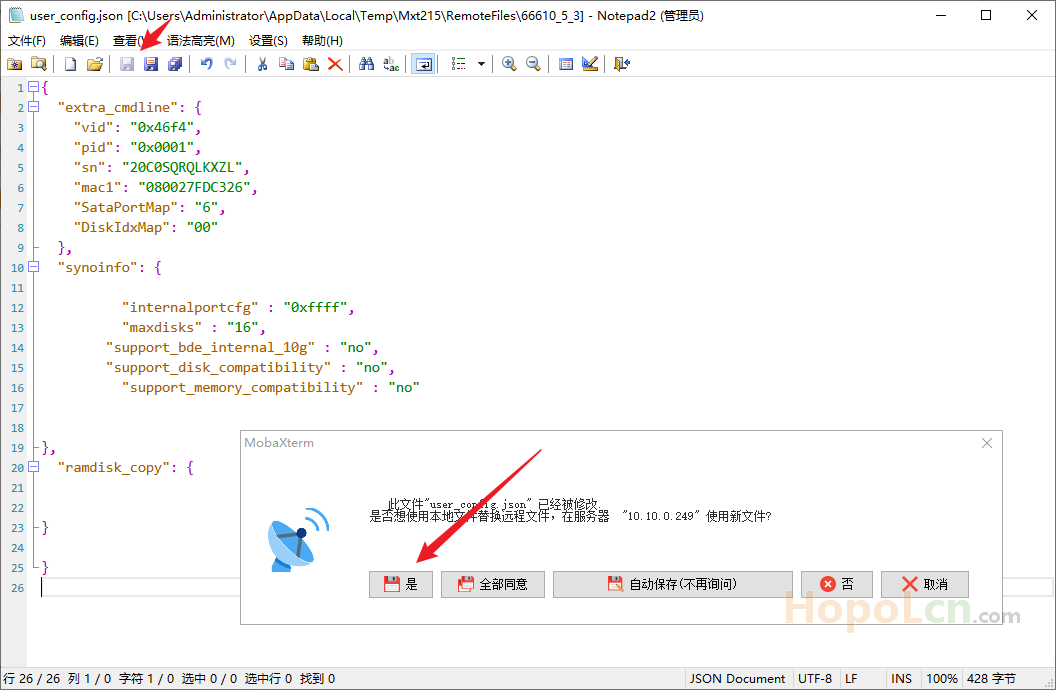
🍚 编译 DS3622xs+ 7.0.1-42218
添加网卡驱动
./rploader.sh ext broadwellnk-7.0.1-42218 add https://raw.githubusercontent.com/pocopico/rp-ext/master/e1000/rpext-index.json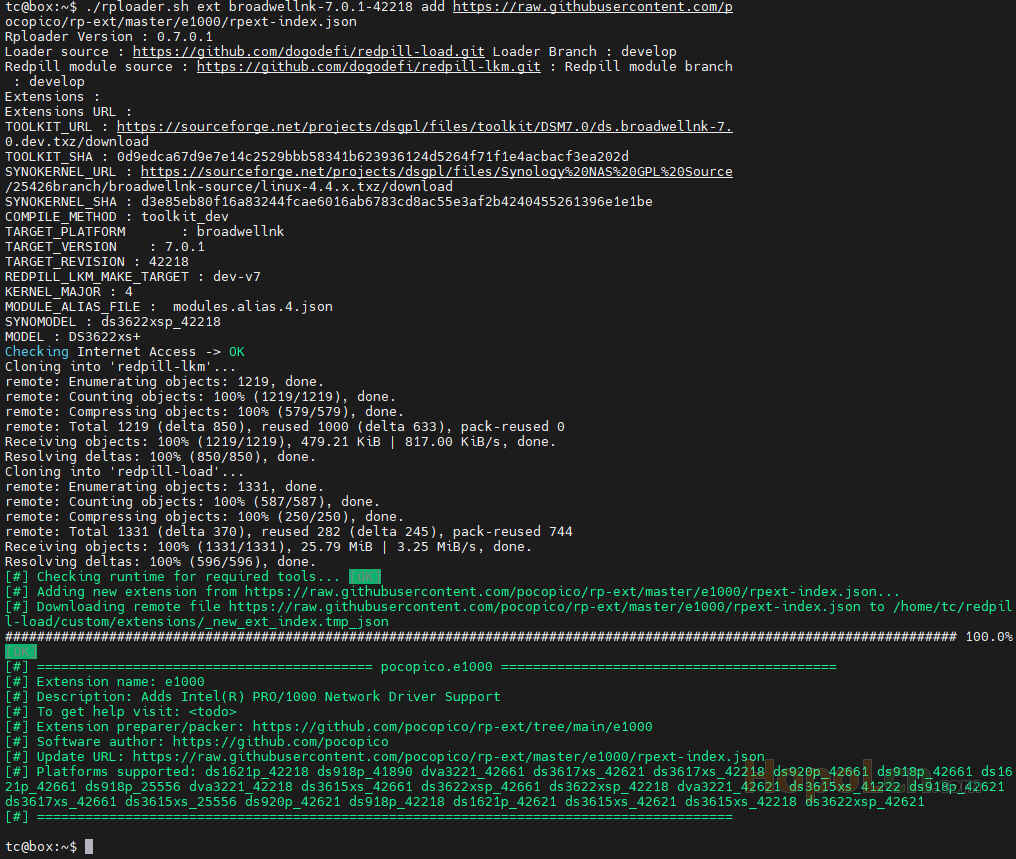
再次感谢 @pocopico
如果是 PVE 就添加 virtio
也可以添加 其他 支持 例如 :acpid
然后开始编译 DS3622xs+ 7.0.1-42218
./rploader.sh build broadwellnk-7.0.1-42218🥝 如果提示:Want to use firmware files from /home/tc/custom-module/*.pat ? [yY/nN] :
输入 n
速度 似乎您的科学网络。
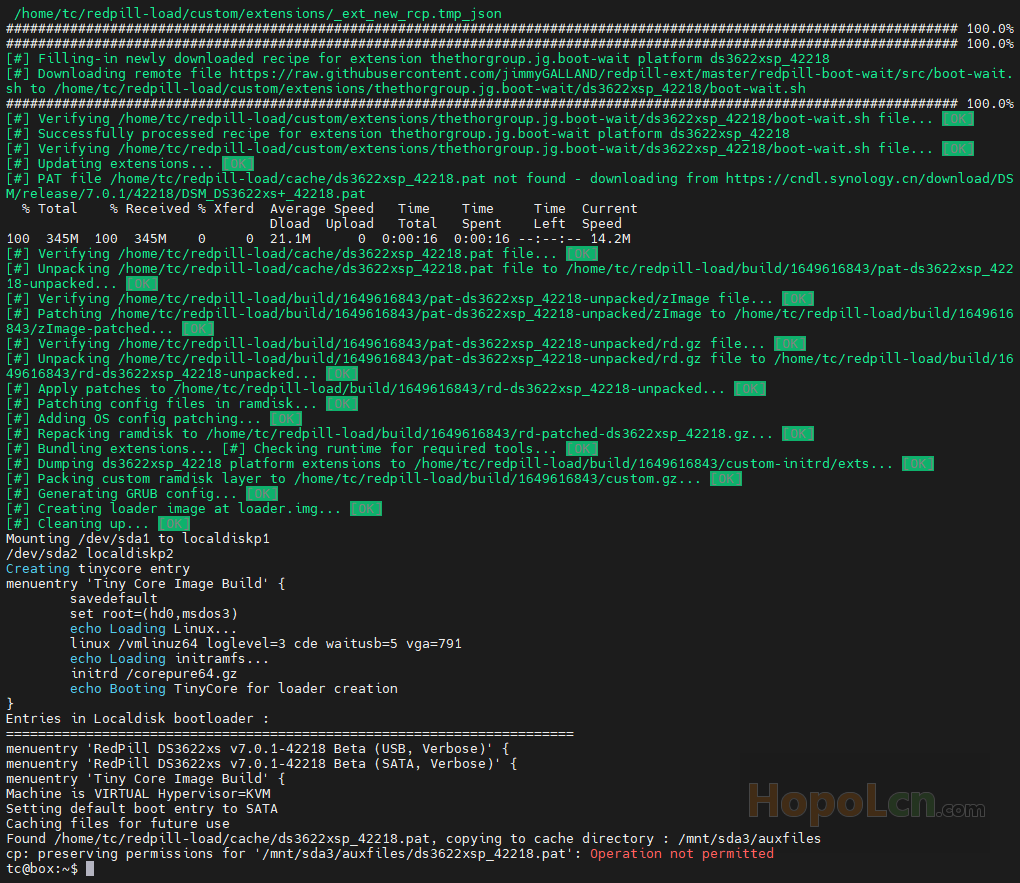
编译完成后
将 /mnt/sda3/auxfiles/ds3622xsp_42218.pat 保存到本地
如果是 U盘 模式,上面的目录结构会不同 例如 sdb3,你可以自己看看编译结果。
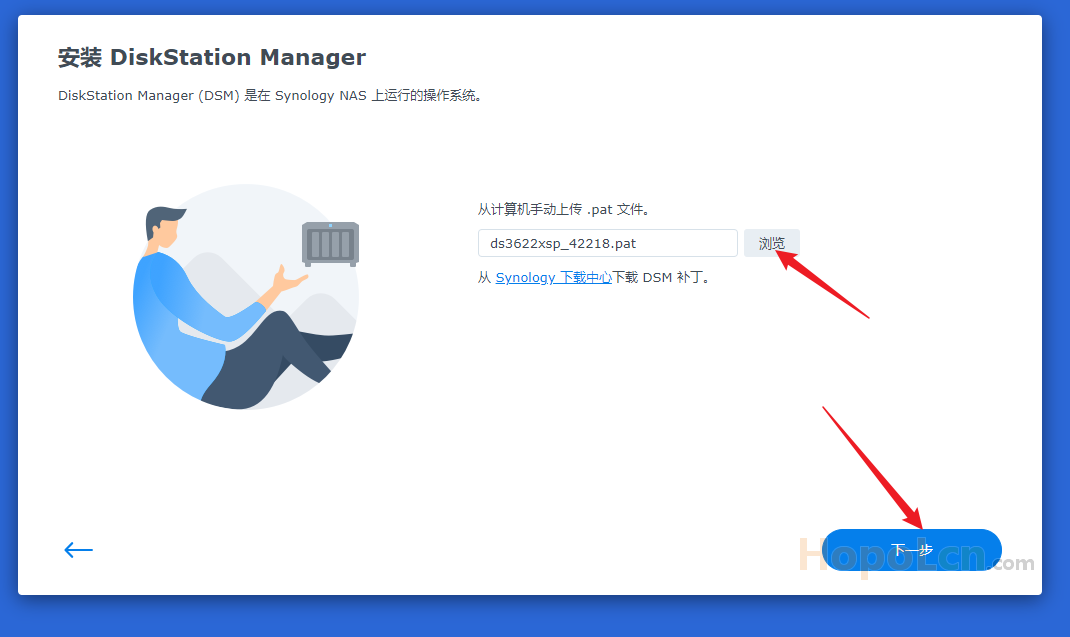
安装 DS3622xs+ 7.0.1-42218 的时候用这个备份出来的 .pat 文件,不要用官网下载的公版文件。
也可以保存引导
/home/tc/redpill-load/loader.img 有备无患对吧
存盘重启
./rploader.sh clean now;./rploader.sh backup now;sudo reboot;🥝 提示:Please make sure you are using the latest 1GB img before using backup option Current /home/tc size is 2.4M , try to keep it less than 1GB as it might not fit into your image Should i update the sda with your current files [Yy/Nn]
输入 y
提醒一下 留意之前的 redpill TELNET窗口,可以选择引导方式。
🥩 安装 DS3622xs+ 7.0.1-42218
redpill TELNET窗口 下 选择 SATA 启动
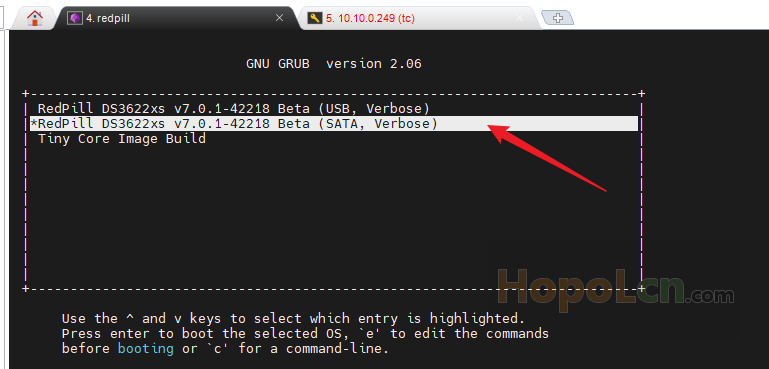
这里就会跑码,方便我们纠错
如果是 实体机 或者 没打开串口的PVE 如下:
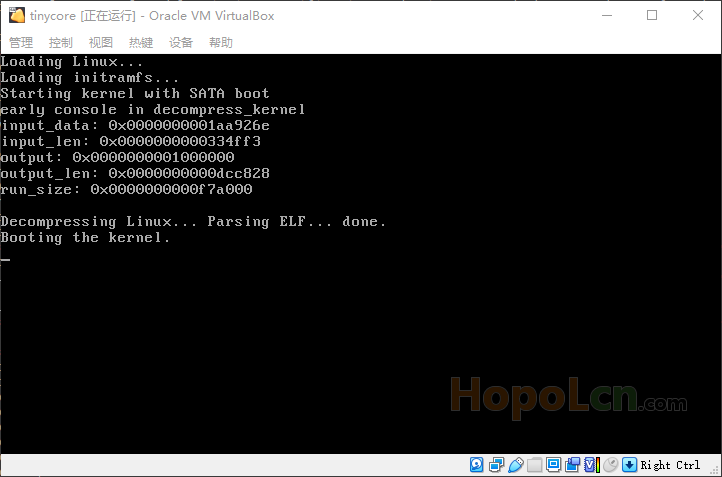
等跑码完 ,或者 等 Synology Assistant 找到

可以在 串口 下输入 用户名 root
再 输入 ip addr ,即可查看群晖局域网IP 。
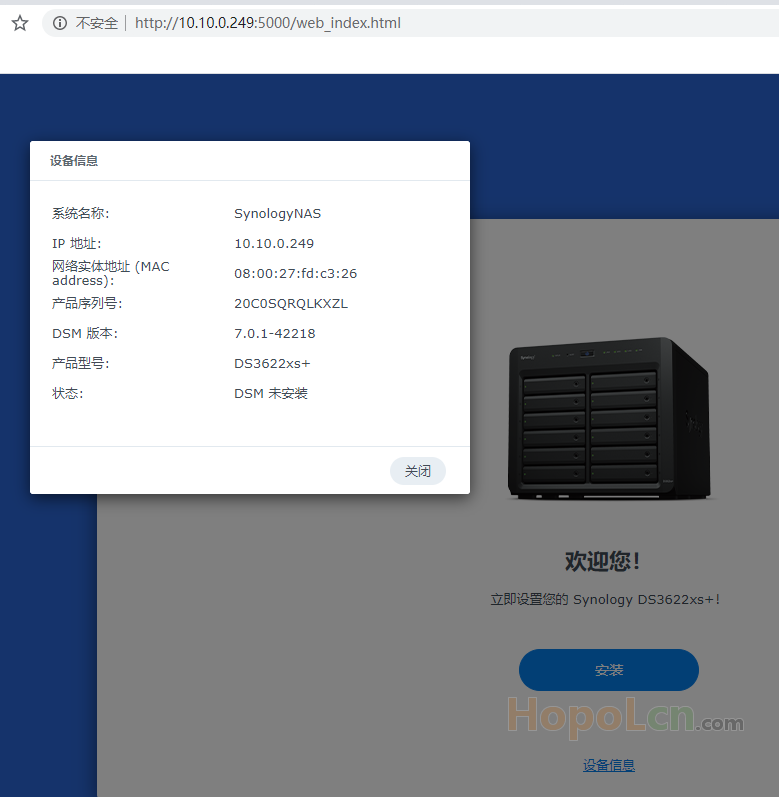
接下来就是 安装了,过程省略吧,唯一注意的就是 pat 文件。
我这里安装网址是 http://10.10.0.249:5000/web_index.html
🥩 升级 DS3622xs+ 7.1.0-42661
下载官方的 pat 文件,在群晖后台升级。
https://global.download.synology.com/download/DSM/release/7.1/42661/DSM_DS3622xs%2B_42661.pat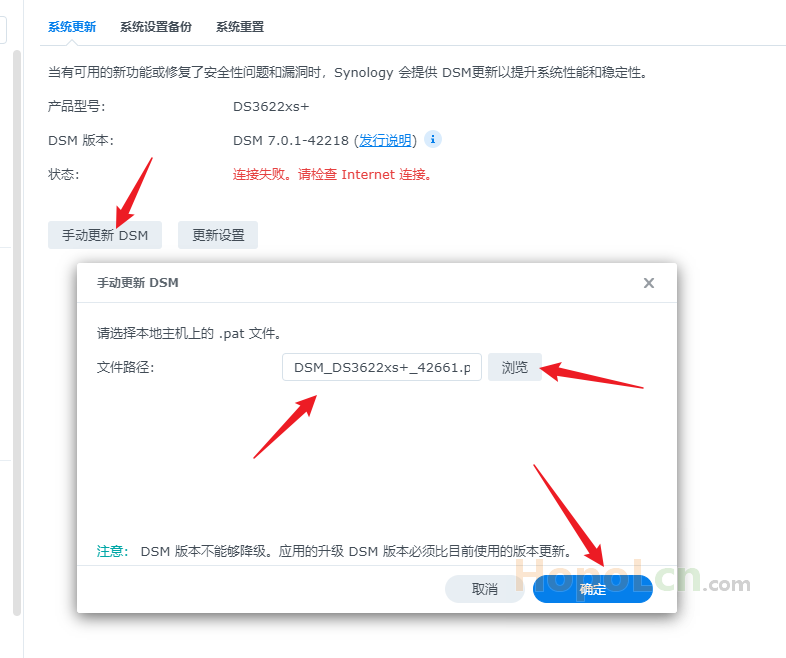
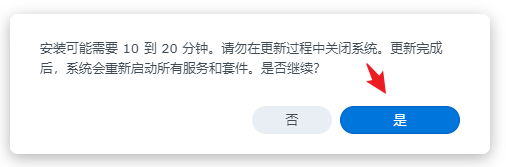
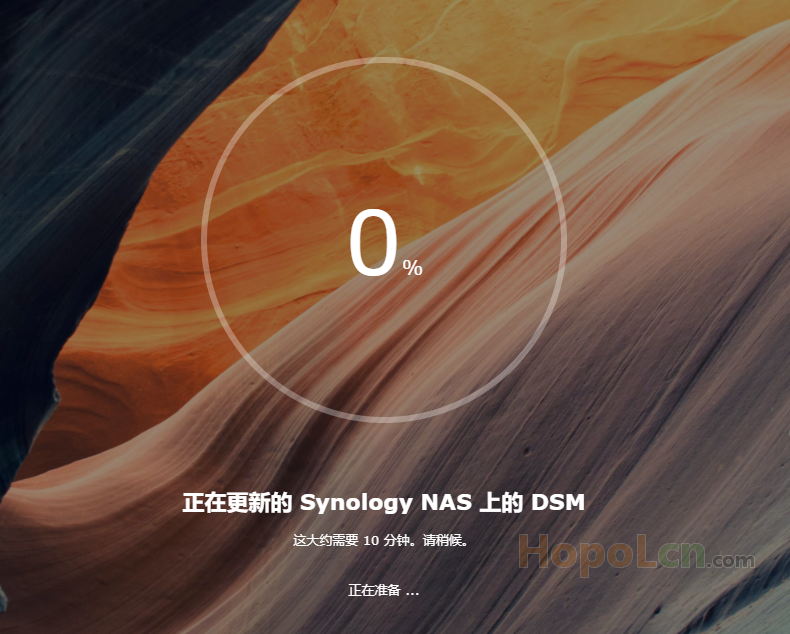
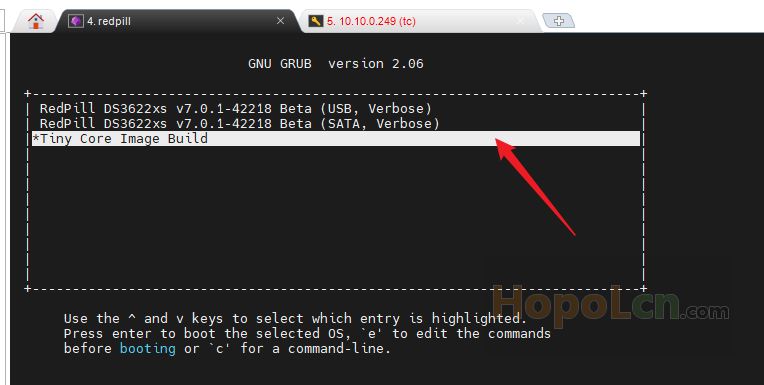
注意!!!
过程中群晖重启,然后手动选择
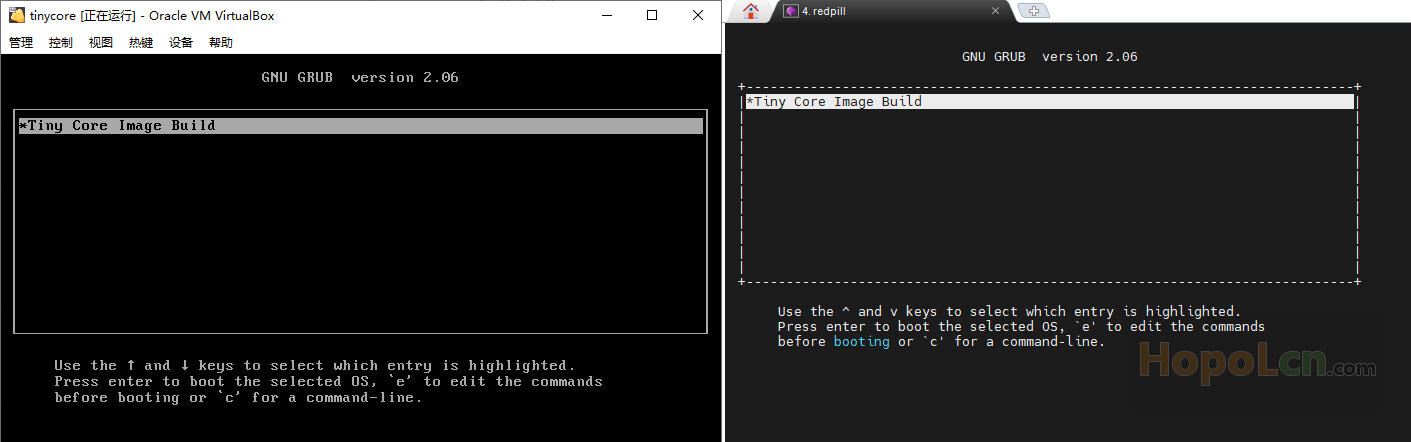
Tiny Core Image Build
再接着编译,DS3622xs+ 7.1.0-42661 引导。
🥩 编译 DS3622xs+ 7.1.0-42661 引导
回到 MobaXterm ,重新链接 Tinycore
先给 broadwellnk-7.1.0-42661 添加 网卡驱动:
./rploader.sh ext broadwellnk-7.1.0-42661 add https://raw.githubusercontent.com/pocopico/rp-ext/master/e1000/rpext-index.json然后就是编译 DS3622xs+ 7.1.0-42661 引导
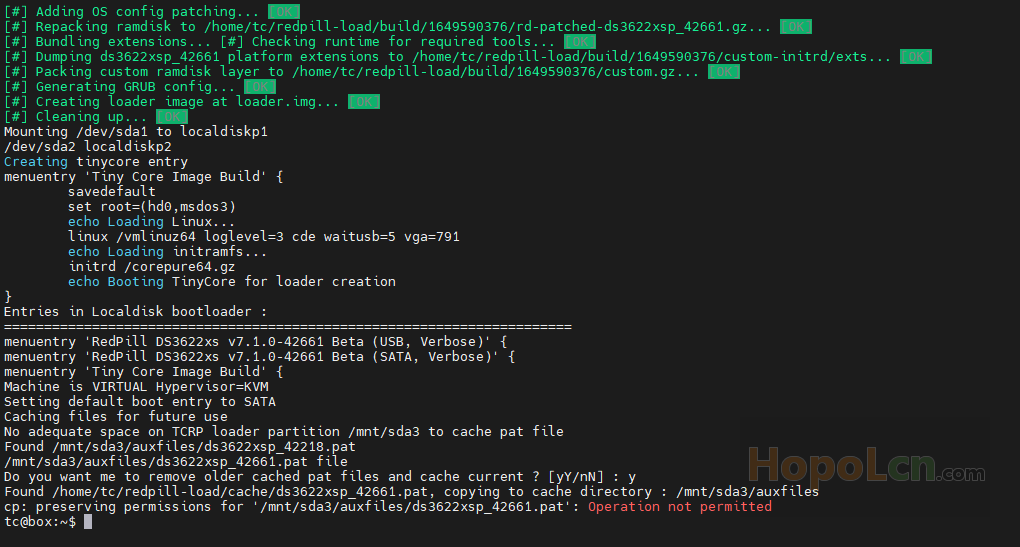
./rploader.sh build broadwellnk-7.1.0-42661🥝 提示:Do you want me to remove older cached pat files and cache current ? [yY/nN] :
输入 y
存盘重启
./rploader.sh clean now;./rploader.sh backup now;sudo reboot;🥝 提示:Please make sure you are using the latest 1GB img before using backup option Current /home/tc size is 2.4M , try to keep it less than 1GB as it might not fit into your image Should i update the sda with your current files [Yy/Nn]
输入 y
提醒一下 留意之前的 redpill TELNET窗口,可以选择SATA引导,就可以了。
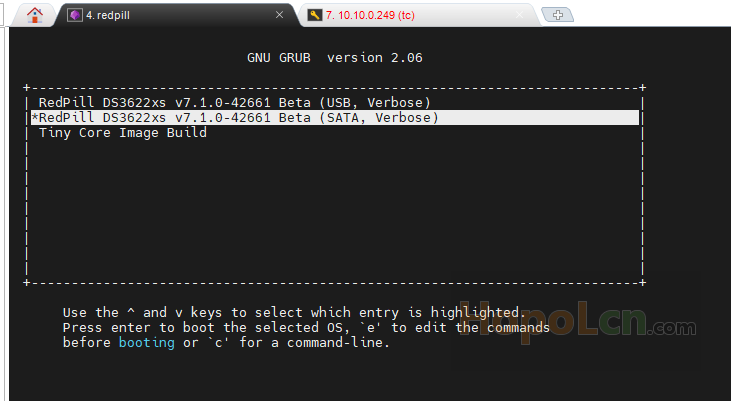
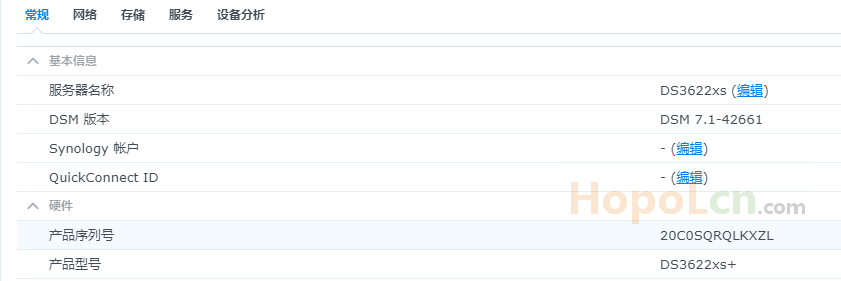
🥩 完成 DS3622xs+ 7.1.0-42661 升级
等 群晖跑码完成后,访问群晖 内网页面
我这里安装网址是 http://10.10.0.249:5000/web_index.html
登录 之前 设置的 用户账号 和密码 登录。
🥩 篇后
我不是一个 NAS 用家,DSM 也玩得不多,知识面不广,以上纯粹凑字数。
个人比较喜欢 Tiny Core 这款短小精干的 Linux ,希望能找到适合国人的一个讨论区,进去水水帖子。
希望知道的 大神 带带路 ,谢谢!!!
--- End ---


