斐讯K2 V22.X.X.X 新版固件 刷机教程 (开telnet,安装SSH,adbyby,刷breed,华硕Padavan)

10,986 views次阅读
一条评论

提醒:本文最后更新于2025-06-19 10:40,文中所关联的信息可能已发生改变,请知悉!

转自 恩山 http://www.right.com.cn/forum/thread-191833-1-1.html  @tianbaoha

斐讯K2 V22.X.X.X 新版固件 刷机教程 (开telnet,安装SSH,adbyby,刷breed,华硕Padavan)


基本属于无脑操作,点击恢复就可以自动刷好breed,浏览上传新固件就完成刷机,理论上能认识字就会刷。


支持的版本

V22.3.15.128

V22.3.15.232

V22.3.17.148

V22.4.2.8

V22.4.2.9

斐讯9月18号的V22.4.5.39版本固件封堵了这种方法,配置文件和MAC一一对应

V22.4.5.39版本需要降级到测试版V22.4.2.8或者V22.4.2.9


V22.4.5.42 降级就可以了。


(官网9月28日已经悄悄删除,备份链接: http://code.taobao.org/svn/hopol-bak/K2/phicomm/K2/ )


如果是V21.4.6.12版本请下载新版手动升级,斐讯官方固件下载地址:

http://file.soho.phicomm.com.cn/upload/k2/k2/


刷入 breed 和 ssh

1 点击下面下载文件

tianbaoha_breed_ssh.dat

备份链接 http://code.taobao.org/svn/hopol-bak/K2/tianbaoha_breed_ssh.dat 【右键另存为】

2 登陆路由器

(默认 p.to 或者 phicomm.me 或者 192.168.2.1 )

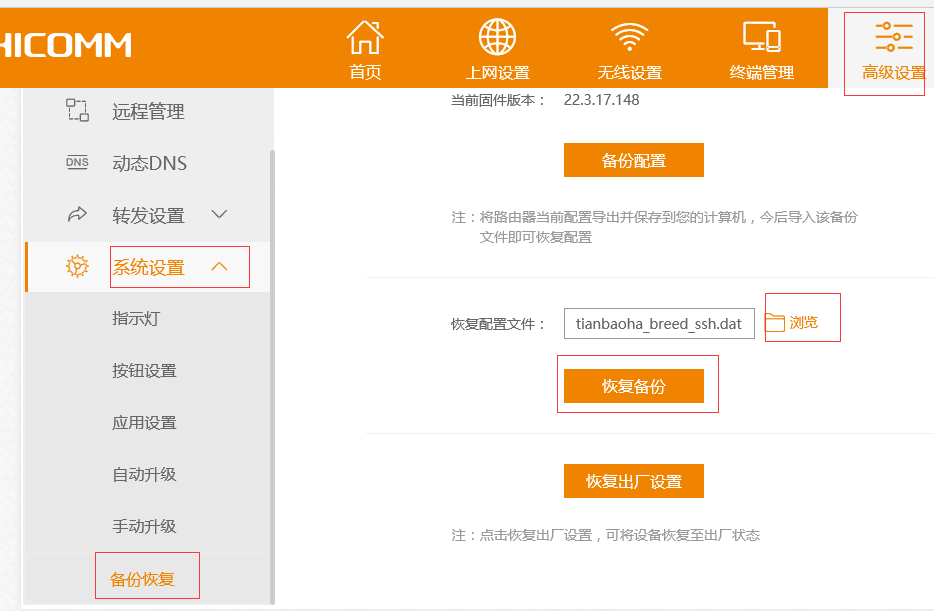
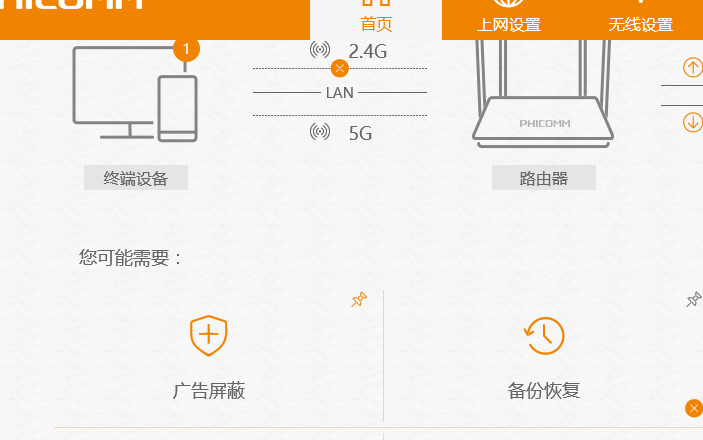
3 进入: 高级设置----系统设置----备份恢复----浏览-----选择下载的tianbaoha_breed_ssh.dat----点击恢复备份----等待进度条完成(大约需要2分钟)。
斐讯K2 V22.X.X.X 新版固件 刷机教程 (开telnet,安装SSH,adbyby,刷breed,华硕Padavan)

斐讯K2 V22.X.X.X 新版固件 刷机教程 (开telnet,安装SSH,adbyby,刷breed,华硕Padavan)

4 重启以后使用新的管理密码:tianbaoha 登陆,如果登陆成功就说明breed和ssh刷好了。

斐讯K2 V22.X.X.X 新版固件 刷机教程 (开telnet,安装SSH,adbyby,刷breed,华硕Padavan)

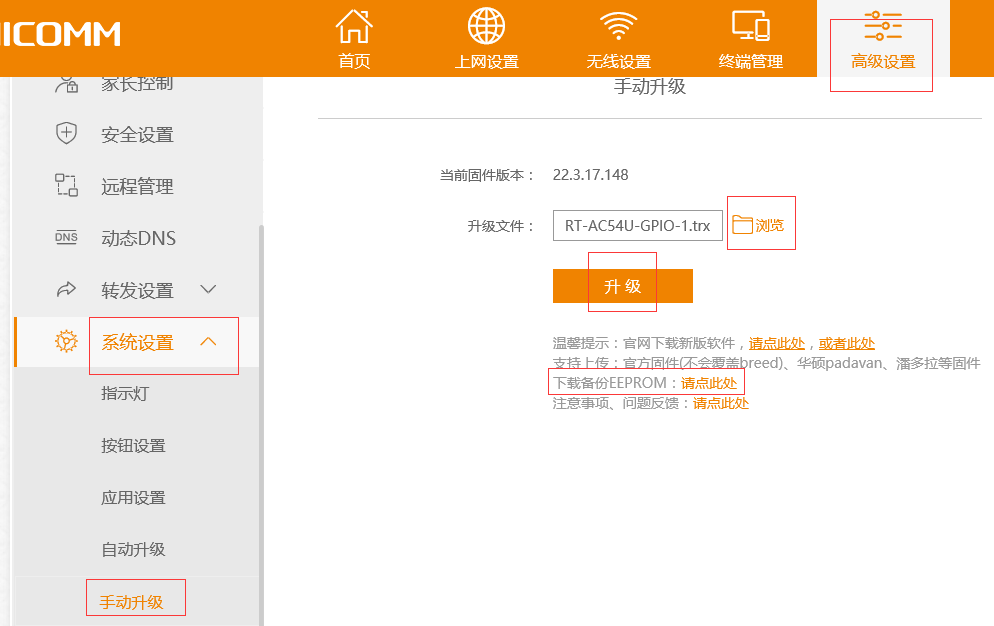
5 进入 :高级设置----系统设置----手动升级----按图所示 点击下载备份EEPROM
斐讯K2 V22.X.X.X 新版固件 刷机教程 (开telnet,安装SSH,adbyby,刷breed,华硕Padavan)

如果继续使用斐讯固件自己改个密码就行了,如果想刷第三方固件就:

点击 浏览-----选择需要刷入的固件----点击升级即可。

固件收集帖 : https://www.hopolcn.com/2016/08/552/

K2 固件收集


刷机完成


注意事项

1:默认开启了telnet检测开关,使用斐讯固件的话恢复出厂或升级新版telnet也不会关闭。

2:修改斐讯固件root密码方法:putty登陆后输入:

# 密码admin,改成自己的

passwd=admin

echo -e "$passwdn$passwd" | passwd root

3:第三方固件的管理地址 因固件而异,比如hiyboy编译的华硕padavan是192.168.123.1,可以根据获取到的IP判断。

刷了不同版本的固件或者第三方固件时,清除一下浏览器缓存文件,推荐使用Chromium内核的或者Firefox浏览器。

4:路由的指示灯是由固件控制的,有的第三方固件没有适配造成显示不正常(比如红灯长亮),不必惊慌,能正常使用固件,没有任何其他副作用,强迫症除外。

5:需要可用空间大于170KB,如果你以前装软件装满了请恢复出厂设置。

6:支持上传刷入默认50000分区的固件(比如潘多拉、华硕padavan),上传官网下载的新版固件不会覆盖breed,会保留当前版本配置。

如果你上传了错误的固件或者压缩包会卡在breed界面,需要自己手动进breed重新刷。


进入breed方法

路由WAN口的网线拔掉,电脑网线连接路由LAN口,电脑网卡设置为自动获取IP:

路由断电3秒----按住复位键不要松手----插入电源----等待5秒松手----浏览器输入192.168.1.1----固件更新----选择固件刷入。

breed作者原帖:http://www.right.com.cn/forum/thread-161906-1-1.html

中文版PuTTy:https://github.com/larryli/PuTTY


安装 adbyby 

有人反馈手动安装adbyby会空间不够导致不能保存配置,这里提供一个自用的adbyby,连续使用几个月了很稳定,

RAM方式运行,占用flash空间20KB,基本和以前的V21.4.4.8的提供的一样,没有界面,会自动更新升级,

只要不恢复出厂就不会失效,装完以后自己手动备份的配置会包含已经装好的adbyby。

安装方法:

PuTTY登陆后输入:

opkg install http://tianbao.sf.net/adbyby

装完后会自动开启,就不用管了。

手动开启和以前一样

开启

tb ad on

关闭

tb ad off

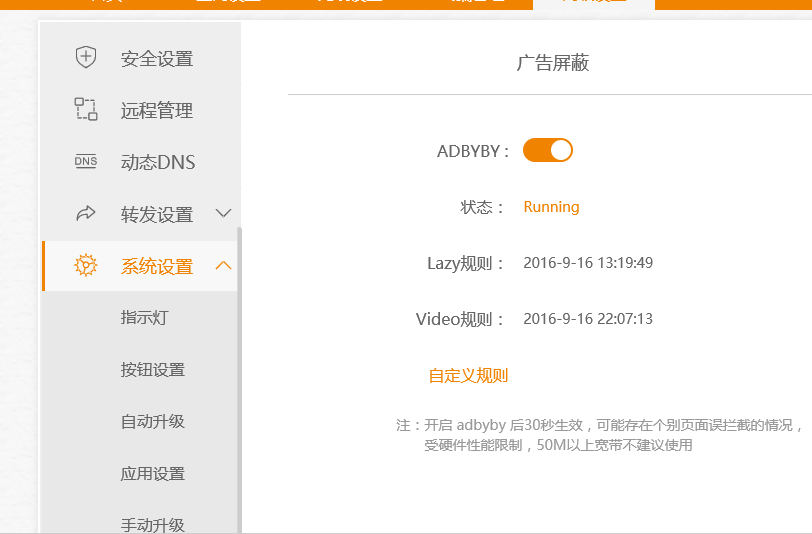
临时测试用的luci界面:
斐讯K2 V22.X.X.X 新版固件 刷机教程 (开telnet,安装SSH,adbyby,刷breed,华硕Padavan)

斐讯K2 V22.X.X.X 新版固件 刷机教程 (开telnet,安装SSH,adbyby,刷breed,华硕Padavan)

adbyby启动时会自动更新一次规则,运行后6小时再自动更新一次,规则维护作者一般1-2天更新一次,正常情况下这里的日期是前一两天,

在自定义规则界面点击一下提交,adbyby就会重启,从而规则就会手动更新至最新。(默认凌晨会自动重启一次adbyby)。


-End-

正文完
 0
HopoL
版权声明:本站原创文章,由 HopoL 于2016-10-16发表,共计2040字。
转载说明:除特殊说明外本站文章皆由CC-4.0协议发布,转载请注明出处。
评论(一条评论)

HopoL's Blog

文章搜索
最新评论
Metaldololity Metaldololity Whoa, that's really simple. You just save my time a lot. Thankyou!
HopoL HopoL Since you’ve got the backup, it’s actually pretty simple. Just restore the backup files to your new flash drive, then head over to the /config directory and edit the go file. Look for export UNRAID_GUID=xxxxxxxxxxxxxx and swap it with your new drive's GUID. That should do the trick!
Metaldololity Metaldololity Really apreciate for your fast respond, mate. I actually have the backup of the flashdrive (from regular unraid backup). The problem is, when i search on youtube tutorial about changing the failed flashdrive, the process need some sort of confirmation with an account in unraid (blacklist the old one -> whitelist the new one). Since i have a cracked unraid, i don't know how to register my new flashdrive as the correct one (and the system not asking me for the old failed flashdrive). Thanks in advance
HopoL HopoL Man, that's a tough spot to be in. Regularly backing up your /boot folder is super important for exactly this reason. If you don't have a backup and your flash drive is completely fried, your best bet is to Google some specific recovery guides or check the Unraid forums. There are ways to rebuild your config by identifying your parity and data drives, but it can be a bit of a process. Hope you can get it sorted!
Metaldololity Metaldololity Hi! Huge thanks for the update on 7.2.0. I have question here, my flashdrive corrupted. how do i install it on the new flashdrive without losing all my configuration?