
DouPHP去除版权信息

4,192 views次阅读
没有评论

提醒:本文最后更新于2025-06-19 10:40,文中所关联的信息可能已发生改变,请知悉!
DouPHP去除版权信息

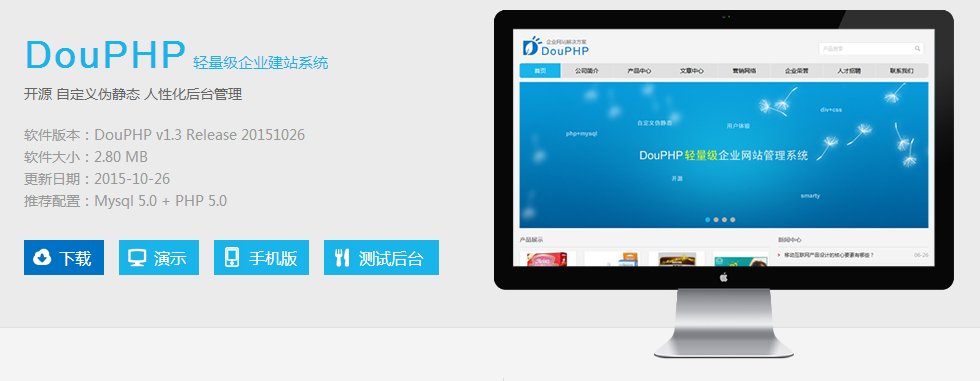
DouPHP 是一款开源免费的轻量级企业网站管理系统,基于PHP+Mysql架构的,可运行在Linux、Windows、MacOSX、Solaris等各种平台上,系统搭载Smarty模板引擎,支持自定义伪静态,前台模板采用DIV+CSS设计,后台界面设计简洁明了,功能简单易具有良好的用户体验,稳定性好、扩展性及安全性强,可面向中小型站点提供网站建设解决方案。

去除底部版权信息

themedefaultinc 目录下的 footer.tpl

找到 {$lang.powered_by} 并且删除掉。


如果要保留 一段版权信息 可以修改 languageszh_cncommon.lang.php

修改:

$_LANG['powered_by'] = "<a href='http://www.douco.com' target='_blank'>Powered by DouPHP</a>";

改为自己的就可以了。


DouPHP标题版权去除

includeaction.class.php

搜索 “Powered by DouPHP” 找到如下代码

$page_title = ($titles ? $titles . $GLOBALS['_CFG']['site_name'] : $GLOBALS['_CFG']['site_title']) . ' - Powered by DouPHP';

将后面的  . ' - Powered by DouPHP' 删除就可以了。

20200618 - DouPHP版本:v1.6 Release 20200612

includeaction.class.php

搜索 “$page_title =” 找到如下代码

$page_title = ($titles ? $titles . $GLOBALS['_CFG']['site_name'] : $GLOBALS['_CFG']['site_title']) . $power_title;

将后面的  . $power_title 删除就可以了。

同样手机模板修改方式如下:

mincludeaction.class.php

搜索 “$page_title =” 找到如下代码

$page_title = ($titles ? $titles . $GLOBALS['_CFG']['mobile_name'] : $GLOBALS['_CFG']['mobile_title']) . $power_title;

将后面的  . $power_title 删除就可以了。

去除 源码 标注

打开 themedefault 目录下所有的 .dwt 文件

找到 <meta name="generator" content="DouPHP v1.3" /> 剩下的就是看着办。

正文完
 0
HopoL
版权声明:本站原创文章,由 HopoL 于2015-10-28发表,共计1084字。
转载说明:除特殊说明外本站文章皆由CC-4.0协议发布,转载请注明出处。
评论(没有评论)

HopoL's Blog

文章搜索
最新评论
MickeyDee MickeyDee Thanks for the reply, according to Unraid Dev team, it may happen this year.
Metaldololity Metaldololity Whoa, that's really simple. You just save my time a lot. Thankyou!
HopoL HopoL Since you’ve got the backup, it’s actually pretty simple. Just restore the backup files to your new flash drive, then head over to the /config directory and edit the go file. Look for export UNRAID_GUID=xxxxxxxxxxxxxx and swap it with your new drive's GUID. That should do the trick!
Metaldololity Metaldololity Really apreciate for your fast respond, mate. I actually have the backup of the flashdrive (from regular unraid backup). The problem is, when i search on youtube tutorial about changing the failed flashdrive, the process need some sort of confirmation with an account in unraid (blacklist the old one -> whitelist the new one). Since i have a cracked unraid, i don't know how to register my new flashdrive as the correct one (and the system not asking me for the old failed flashdrive). Thanks in advance
HopoL HopoL Man, that's a tough spot to be in. Regularly backing up your /boot folder is super important for exactly this reason. If you don't have a backup and your flash drive is completely fried, your best bet is to Google some specific recovery guides or check the Unraid forums. There are ways to rebuild your config by identifying your parity and data drives, but it can be a bit of a process. Hope you can get it sorted!